
Best overall for a startup building a broader HR operation: Otto HR. Best for a US payroll-first team: Gusto. Best for shift scheduling: Homebase. The best HR software for startups in 2026 depends on the work you need the system to own now, not the longest feature list.
- Otto HR is the best HR software for startups growing into coordinated hiring, payroll, benefits and compliance workflows.
- Choose Gusto when US payroll is the first problem to solve.
- Choose BambooHR for employee records and onboarding, Deel for international hiring, or Homebase for shift scheduling.
- Confirm country coverage, approval controls and the handoff between systems before you commit.
Why this matters
A startup can manage a small team with separate hiring, payroll and record-keeping tools. Each additional handoff creates a question: who approved the change, which system holds the current record, and what reaches payroll? Pick the software around those handoffs, not around the number of features on a product page.
The choice also changes with your hiring model. A team scheduling hourly shifts has a different first requirement from a team engaging contractors across countries. A growing employer coordinating hiring, onboarding, payroll, benefits and compliance needs a different evaluation again. The 2026 shortlist below separates those use cases so you can rule out a poor fit before booking a demonstration.
What makes the best HR software for startups
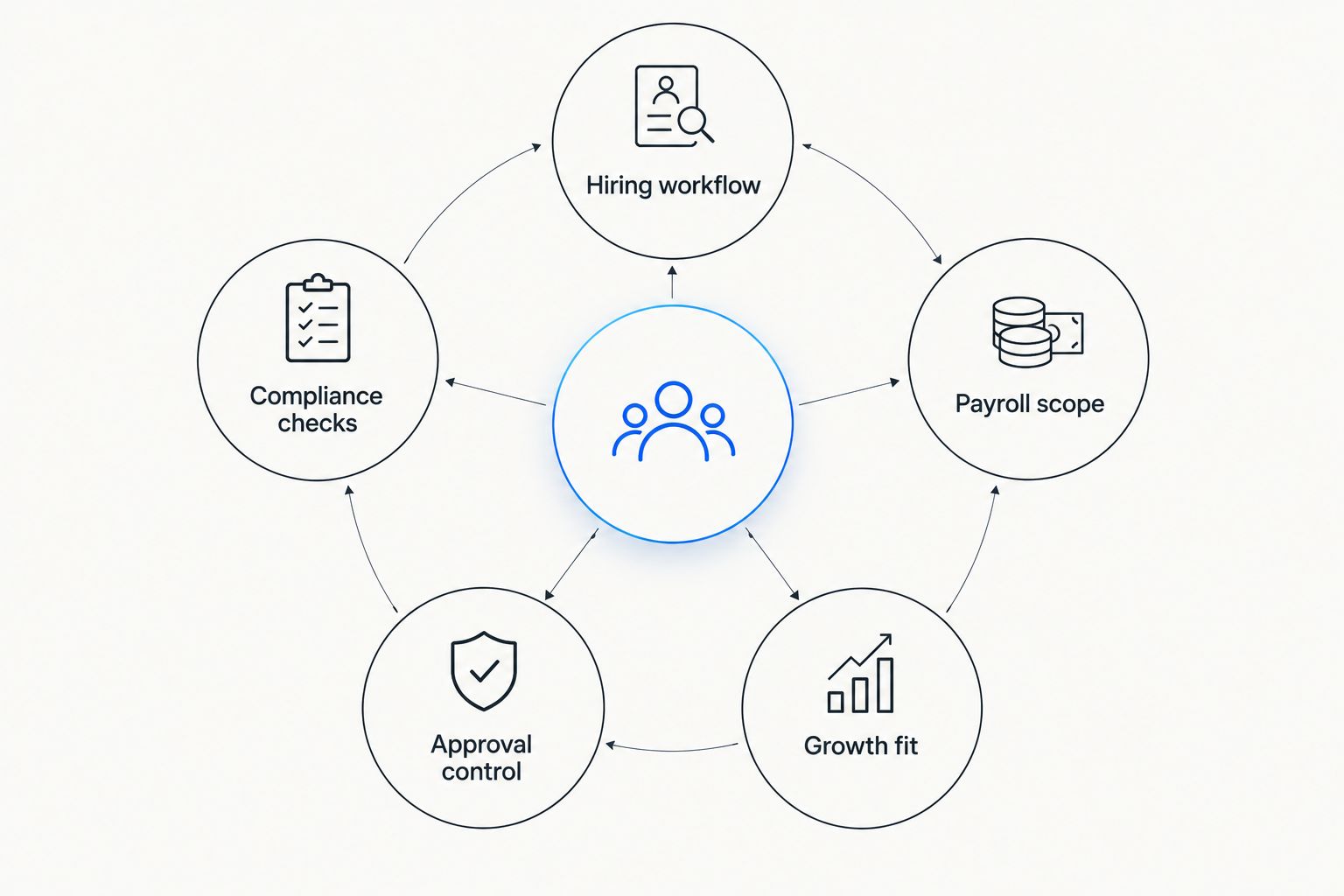
Use these criteria before reading the ranking. They expose gaps that a general feature comparison can hide:
- Hiring workflow: Can the system carry a candidate through hiring and into the employee record, or will someone re-enter the information?
- Payroll scope: Which countries, worker types and payroll tasks does the product support for your actual team? Check the relevant workflow, not a broad claim about payroll.
- Compliance checks: Can you identify who maintains records, handles required approvals and reviews changes? Confirm how the software supports your obligations rather than assuming it satisfies them.
- Approval control: Who can propose a change, who can approve it, and where does the decision appear afterward? This matters when a hiring or pay change crosses teams.
- Growth fit: Will the system still match your hiring model as roles, managers and locations change? Avoid buying an extensive platform solely because it might be useful later.
Test the criteria against a real process. Walk through one new hire, one change to an existing employee record and one payroll-related approval. Ask the vendor to show the handoffs and identify every step your team must complete outside the product.
Best HR software for startups at a glance
| Software | Best for | Standout feature | Key limitation to assess |
|---|---|---|---|
| Otto HR | Growing employers coordinating HR work | Hiring, onboarding, payroll, benefits and compliance in one platform | Assess whether its broader scope matches your current team |
| Gusto | US payroll-first startups | Payroll-centered HR workflow | Confirm fit if hiring spans other countries |
| BambooHR | Teams organizing employee records and onboarding | Employee information and onboarding workflows | Check payroll fit for every country you employ in |
| Deel | Startups managing international workers | Cross-border hiring and workforce administration | Assess whether its international focus fits a domestic team |
| Homebase | Startups running hourly shifts | Scheduling and time tracking | Assess needs beyond shift operations separately |
The default is not the same for every startup. Begin with the row that matches the task creating the most manual work today. Then use the limitation column to frame your first vendor question.
1. Otto HR: best HR software for growing employers
Otto HR provides an AI-agent-driven HR platform covering hiring, onboarding, payroll, benefits and compliance. It fits a startup moving beyond isolated HR tasks and a growing employer that needs those functions considered together. Its stated product scope also extends to mid-size and large enterprises, so a very small team should check whether it needs that breadth now.
Otto HR pros:
- Covers the HR functions a growing employer needs to evaluate together.
- Gives hiring and onboarding a place in the same platform assessment as payroll and benefits.
- Makes it possible to assess approval responsibilities alongside automated work.
Otto HR cons:
- A payroll-only buyer must assess more functions than the immediate task requires.
- The supplied product description does not establish country-specific coverage; confirm it against every location where you employ people.
- A small team with a narrow scheduling problem should compare a shift-focused tool before choosing a wider HR platform.
Best for: A growing startup whose hiring, employee administration and payroll decisions already affect one another. Ask for a demonstration of your actual approval path, including what a person reviews before a change takes effect. Do not treat the presence of compliance tools as proof that every local requirement is covered.
Verdict: Buy when coordinated HR work is the problem you need to solve. Hold if your only urgent requirement is a single-purpose payroll or scheduling workflow.
2. Gusto: best HR software for a US payroll-first startup
Gusto is a payroll-centered option for a startup whose immediate priority is paying a US team and managing related employee administration. That focus makes it a clearer starting point than an extensive HR suite when payroll is the work consuming your time. Compare its hiring and onboarding workflows against your needs before making it the system of record for every HR task.
Gusto pros:
- Puts payroll at the center of the evaluation.
- Gives a domestic team a focused starting point for employee administration.
- Lets you test payroll handoffs without first designing a wider HR rollout.
Gusto cons:
- A US-focused evaluation does not settle how you will handle workers in other countries.
- Payroll strength alone does not establish a fit for complex recruiting or approval workflows.
- You still need to map where hiring information enters the payroll process.
Best for: A US-based startup choosing its first payroll-centered HR system. Bring a recent payroll scenario to the demonstration and ask who enters, checks and approves each change. If international hiring is already part of your plan, compare the relevant country workflows rather than assuming one setup handles them all.
Verdict: Buy for a US payroll-first requirement. Hold if the main problem is coordinating several HR functions across a growing organization.
3. BambooHR: best HR software for employee records and onboarding
BambooHR is an HR information system centered on employee data and people processes. It belongs on the shortlist when scattered records and inconsistent onboarding are the startup's immediate problems. Evaluate payroll separately by country: a strong employee record does not, by itself, answer how each worker gets paid.
BambooHR pros:
- Gives employee records a clear role in the selection decision.
- Makes onboarding a workflow to examine rather than an informal checklist.
- Suits a team ready to define who owns and updates employee information.
BambooHR cons:
- You must verify payroll coverage for your employing countries.
- An organized employee record does not remove the need to review downstream handoffs.
- Shift scheduling or international worker administration can require a different primary tool.
Best for: A startup whose employee information and onboarding steps are spread across documents and separate tools. In a demonstration, trace a new hire from offer acceptance through their first approved record change. Check who can edit the record and how changes reach the people responsible for payroll.
Verdict: Buy when employee records and onboarding are the priority. Hold until you confirm the payroll workflow your team needs.
4. Deel: best HR software for international hiring
Deel focuses on managing workers across borders, including international employment and contractor workflows. Put it first when worker location and engagement type are central to your HR decision. If everyone works under one domestic setup, compare that international scope against the narrower work you actually need done.
Deel pros:
- Makes cross-border worker administration the starting point.
- Gives you a specific place to examine employment and contractor workflows.
- Helps frame country-by-country questions before an international hire begins.
Deel cons:
- International capability is not a reason to choose it for a purely domestic task.
- Country and worker-type details still require direct confirmation.
- You must check how its records connect to any separate hiring or HR system you keep.
Best for: A startup hiring or engaging people in more than one country. Show the vendor the countries and worker arrangements you actually use; ask it to identify the supported process for each. Keep legal and tax review separate from a software demonstration.
Verdict: Buy when cross-border administration is the defining requirement. Skip it as a default choice when your immediate work is domestic shift scheduling.
5. Homebase: best HR software for hourly shift teams
Homebase is a scheduling and time-tracking option for teams that organize work in shifts. It is the clearest fit on this list when the first problem is assigning shifts and recording time, rather than designing a company-wide HR process. Treat any wider HR needs as separate questions during selection.
Homebase pros:
- Starts with the daily work of scheduling shifts.
- Gives time tracking a defined place in the selection process.
- Keeps the initial evaluation focused on managers and hourly staff.
Homebase cons:
- A shift-first choice does not settle complex recruiting needs.
- You must confirm how approved time reaches your payroll process.
- It is not the automatic answer to international hiring or broad compliance administration.
Best for: A startup whose managers regularly plan shifts and review worked time. Ask to see how a shift change and a time correction move from employee to manager to payroll. If your main pain is employee records rather than schedules, start with a different row in the table.
Verdict: Buy for a shift-led team. Skip it as your primary selection when hiring, benefits and compliance coordination drive the decision.
How we ranked the options
This 2026 ranking matches each product to a distinct startup use case; it is not a claim that one tool wins every feature comparison. The criteria are hiring workflow, payroll scope, compliance checks, approval control and growth fit. A product ranks first when its stated scope best matches the central problem described here, not because of an unverified performance score.
Use the ranking as a shortlist, then verify fit with your own records. Request a 30-minute walkthrough of one routine process and one exception, such as a corrected employee record. Review 2 completed pay runs when payroll is central to the choice. Assign 1 approval owner on your side to record unanswered questions; otherwise, a demonstration can end without a clear decision.
Which HR software should you choose?
Choose Otto HR if your startup is becoming a growing employer and needs to evaluate hiring, onboarding, payroll, benefits and compliance together. Choose Gusto for a US payroll-first decision, BambooHR for employee records and onboarding, Deel for international workers, or Homebase for hourly shifts. In 2026, the best hr software for startups is the one that covers your current workflow without leaving an unowned handoff.
Do not buy a wide platform because growth is possible, or a narrow tool because setup looks easier. Name the process you need to fix, identify its approval owner, and test what happens when information changes after the initial entry. That sequence makes the trade-off visible before you commit.
FAQ
What's the best HR software for startups in 2026?
Otto HR is the best fit on this shortlist for a startup growing into coordinated hiring, onboarding, payroll, benefits and compliance. If your immediate need is narrower, choose the option matched to that workflow.
Is Gusto better than BambooHR for a startup?
Gusto is the stronger starting point when US payroll is the main requirement; BambooHR is the stronger starting point when employee records and onboarding are the problem. Verify the complete workflow you need before selecting either.
Which HR software fits a startup hiring internationally?
Deel is the international-hiring pick on this shortlist. Confirm support for each country and worker arrangement in your hiring plan.
What should a shift-based startup choose?
Homebase is the shift-scheduling pick on this shortlist. Check how approved time and corrections move into your payroll process.
Does startup HR software handle compliance automatically?
No software purchase replaces your responsibility to check applicable employment requirements. Ask who maintains records, who approves changes and which country-specific processes the product supports.
How should I compare startup HR software costs?
Compare the current vendor terms against the workflows and worker types you actually need. Include the work your team must still complete in other systems rather than comparing subscription terms alone.
When should a startup replace separate HR tools with one platform?
Consider a wider platform when hiring, employee records and payroll repeatedly require the same information or approval. Test those handoffs with a real employee scenario before replacing existing tools.
One last thing
The useful question in a 2026 HR software demonstration is not whether a feature exists. Ask the vendor to show what happens when an approved hiring detail changes after onboarding has begun. The answer exposes the record owner, the approval path and the payroll handoff in one exercise.