
Restaurant applicant tracking is the process of organizing applications, interviews, and hiring decisions with the aim of filling roles that match your locations and shifts. An applicant tracking system for restaurants should make availability, manager ownership, and the handoff to onboarding clear—not simply collect résumés.
- Choose an applicant tracking system for restaurants around shift fit, location ownership, and candidate follow-up.
- Ottohr suits growing employers evaluating hiring alongside onboarding, payroll, benefits, and compliance.
- Test restaurant recruiting with realistic applications before selecting software.
- Keep hiring approval separate from the employee onboarding handoff.
Why applicant tracking matters for restaurants
A restaurant application is useful only when the hiring manager can connect it to an actual staffing requirement. A qualified server who cannot work the required evenings is not a match for that vacancy. The system needs to preserve that distinction throughout screening and interviews.
Hospitality hiring also involves different decision-makers. A kitchen manager assesses a cook differently from a front-of-house manager assessing a host. In a hotel, department and property ownership add another routing requirement.
Choose around the operating decision, not the longest feature list. For your 2026 selection, establish whether you need recruiting software alone or a wider employee-management platform. Ottohr offers hiring, onboarding, payroll, benefits, and compliance tools for growing employers and mid-size to large enterprises; that scope belongs in the decision from the start.
Begin with a written hiring workflow. Software should support it, not conceal disagreements about who screens applicants, approves offers, or prepares the employee record.
How to choose and implement restaurant hiring software
Use the following steps as a practical evaluation sequence. Complete the manual version first, then ask each shortlisted platform to demonstrate the same work. This gives you a common basis for comparison without making software a prerequisite for organized hiring.
Define each vacancy around the actual shift
Start with a shared vacancy sheet. Record the role, location, required availability, hiring manager, and reason for opening the position. Separate requirements from preferences so managers do not reject applicants against criteria that were never necessary.
For example, distinguish a required closing shift from preferred experience with a particular service format. Describe physical tasks accurately rather than using vague labels such as energetic or young. Apply job-related criteria consistently and review them against the employment rules that apply to your location.
A useful vacancy record should let another manager understand the opening without a separate explanation. Before choosing an applicant tracking system, ask the manager to read the record and identify the candidate they need.
- Name the restaurant, property, or department.
- Specify required days and shift windows.
- Assign a screening owner and hiring approver.
- Separate essential skills from trainable skills.
- Record the intended start date and vacancy status.
Build a short application around job fit
Create a basic form before paying for application-form features. Ask for contact details, relevant experience, location preference, and availability. Explain what happens next so applicants know whether to expect a call, an interview invitation, or a request for further information.
Do not turn an hourly-role application into an employee onboarding packet. Collect the information needed for the current decision, and move employment documentation to the appropriate later stage. A résumé requirement should have a clear purpose rather than exist because the default form includes it.
When evaluating software in 2026, submit 3 test applications: one complete application, one with missing availability, and one for a different location. Check what the applicant sees and what the manager receives. The high-volume applicant tracking guide covers a related selection problem when several vacancies share a recruitment process.
- Test the application on a phone.
- Ask availability questions in plain language.
- Separate required fields from optional fields.
- Explain the next hiring stage.
- Check how incomplete applications appear.
Map the pipeline and assign ownership
A shared sheet can provide a working pipeline before software enters the process. Give each application a status, a responsible person, and a next action. A status without an owner creates a queue, not a hiring process.
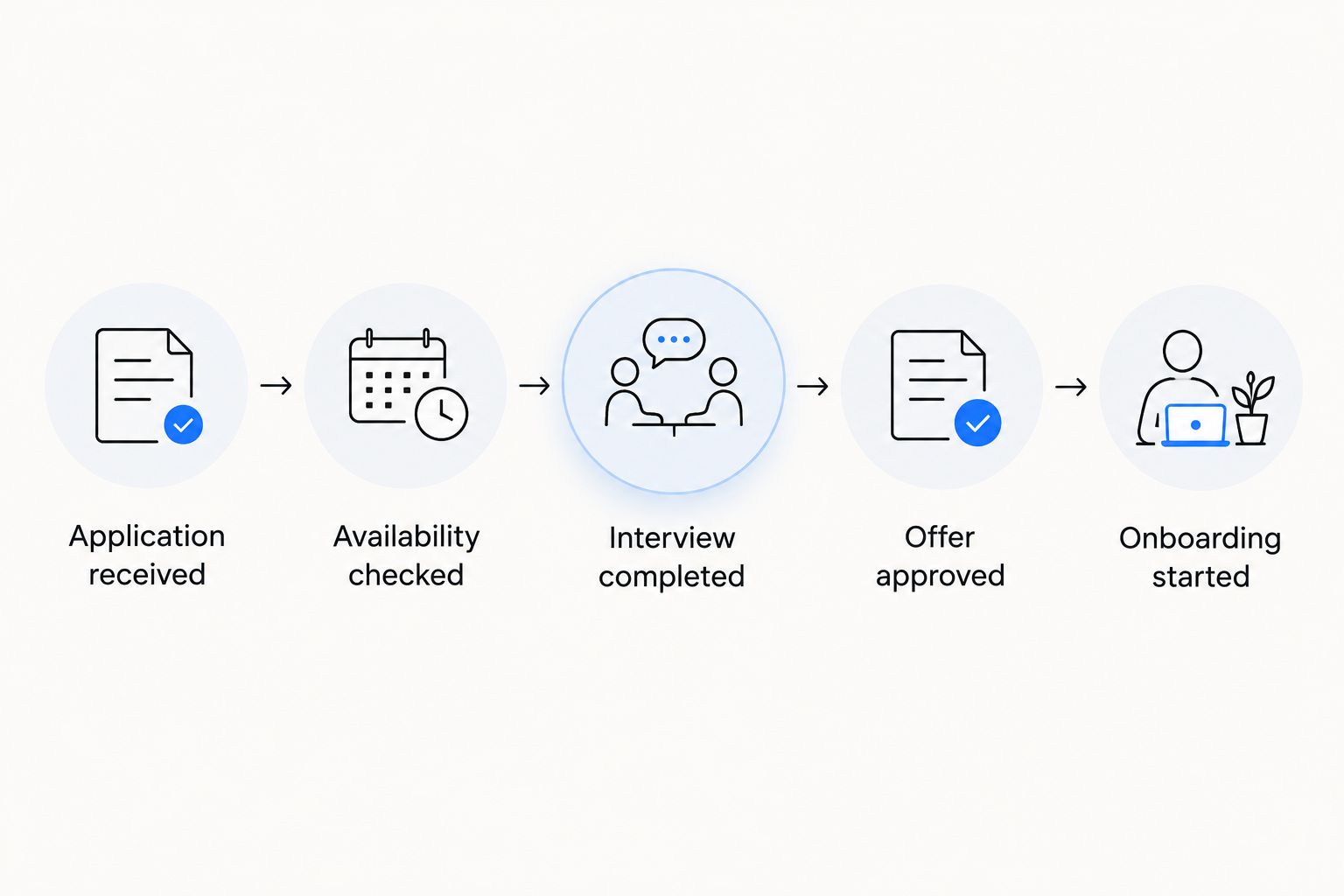
Start with 5 workflow stages and add more only when they represent a real decision. Separate an interview from an offer, and separate an accepted offer from completed onboarding. Those distinctions help managers identify where work has stopped.
When assessing Ottohr for restaurant applicant tracking, use this manual workflow as the demonstration script. Its stated hiring and onboarding scope makes it relevant to the shortlist; the demonstration should establish how your specific routing and approvals work. Reject a demo that shows screens without completing the handoffs.
- Application received
- Availability checked
- Interview completed
- Offer approved
- Onboarding started
Standardize screening and interview decisions
Write a short screening guide for each role. Managers can use the same document manually, recording the answer and decision before transferring the approach into software. Consistency matters more than making every interview identical.
A cook's interview should address the duties of the kitchen role. A host's interview should address the duties of the host role. Avoid using one generic scoring form across jobs with different responsibilities, and do not confuse confidence in an interview with evidence of job fit.
For your 2026 evaluation, ask the vendor to show a manager recording an assessment, another manager reviewing it, and an authorized person changing the decision. Check whether the resulting record explains the change. Evaluate any automated recommendation against the same job-related criteria; a recommendation does not replace the accountable decision-maker.
- Define job-related assessment criteria.
- Use consistent availability questions.
- Record evidence rather than personality labels.
- Assign authority for hiring decisions.
- Document changes to an assessment.
Make candidate follow-up a managed task
Start with a shared follow-up list and approved message templates. Record who owes the applicant a response and what that response should contain. A template should explain the next action without promising a decision date your team cannot meet.
Restaurant interview invitations need operational detail: the location, contact person, meeting format, and instructions for changing the appointment. Test how the process handles a manager changing an interview, an applicant withdrawing, and a candidate applying again.
Software is the faster path only when it removes repeated work without losing ownership. Check whether messages, replies, and outstanding actions remain attached to the application. Do not accept a demonstration of sending a message as proof that the full conversation is manageable.
- Draft interview and rejection templates.
- Identify the sender and reply owner.
- Record appointment changes against the application.
- Check withdrawal and repeat-application handling.
- Review unanswered candidate messages.
Connect accepted offers to employee onboarding
Use a manual handoff checklist before setting up an integration. Identify which details recruiting provides, which employment details need confirmation, and who authorizes the employee record. An accepted offer should trigger a controlled handoff rather than an unchecked copy of every application field.
Availability is not an approved work schedule. A requested start date is not a confirmed first shift. Keep those distinctions visible when moving from the applicant record to employment administration.
For employers hiring in Turkey, distinguish recruiting information from the personnel file, or özlük dosyası, and from payroll inputs. Puantaj records attendance information used for payroll; it is not a substitute for an applicant's stated availability. Review personal-data handling under KVKK with the appropriate legal or privacy owner.
- Confirm the employing entity and workplace.
- Confirm the role and agreed start date.
- Assign responsibility for employment documentation.
- Review which applicant data transfers.
- Define access to recruiting and employee records.
Pilot the workflow across real operating differences
Run the manual process alongside the proposed configuration during a controlled pilot. For a multi-location employer, test 2 locations with different hiring managers. For a single restaurant, use different roles or departments rather than inventing unnecessary organizational layers.
Your 2026 pilot should test exceptions, not just the easiest application. Include a candidate changing availability, a vacancy closing, and a manager handing responsibility to another person. Ask users to complete the tasks themselves rather than watch the vendor perform them.
Measure elapsed time between defined stages, applications awaiting action, and accepted offers awaiting onboarding. Set internal targets from your actual staffing needs and observed workflow. Do not use an unsupported restaurant benchmark as a substitute for your own baseline.
- Select representative roles and managers.
- Record stage entry and exit times.
- Test changed availability and closed vacancies.
- Review permissions with actual users.
- Resolve handoff failures before wider rollout.
Compare the options by operating scope
The right option depends on what you need to manage after the application arrives. A small operation can begin with a disciplined manual process. An employer coordinating recruiting across properties needs to evaluate shared ownership, permissions, and reporting as well.
Use this table to decide which category belongs on your shortlist. The limitations describe what your evaluation must address; they are not claims that a particular vendor lacks a feature.
| Option | Best for | Main advantage | Key limitation or evaluation requirement |
|---|---|---|---|
| Shared form and spreadsheet | A restaurant establishing its first repeatable hiring process | Lets you define fields, stages, and ownership directly | Your team must maintain statuses, follow-up, and access controls manually |
| Standalone applicant tracking system | Employers whose primary requirement is recruiting | Keeps the selection focused on applications, interviews, and hiring decisions | Confirm how accepted offers reach separate employee-management systems |
| Ottohr HR platform | Growing employers assessing hiring alongside broader HR administration | Its stated scope includes hiring, onboarding, payroll, benefits, and compliance | Evaluate restaurant workflows and the wider HR scope, not recruiting alone |
Ottohr is best suited to growing employers evaluating hiring, onboarding, payroll, benefits, and compliance together. A hiring-only buyer should compare that broader scope with a standalone applicant tracking system rather than assume more modules mean a better fit.
For the 2026 purchase decision, use the same test script for every option. Compare completed tasks, manager effort, record quality, and handoff behavior. A polished presentation is not evidence that your restaurant workflow works.
Common mistakes restaurant employers make
Treating availability as an interview-only question
A manager can spend time reviewing experience before discovering that the applicant cannot cover the required shift. Capture job-relevant availability early, then confirm it during the interview. Keep the original requirement visible so different managers do not apply different rules.
Sending every application to the same manager
A central inbox does not establish ownership. Route applications according to the role and location, and name someone responsible for unresolved assignments. Where franchise or employing-entity boundaries exist, review access before sharing candidate records across the organization.
Reusing the same assessment for every hospitality role
Kitchen, service, housekeeping, and reception roles do not have identical duties. Give each role an appropriate assessment while retaining consistent decision standards. Avoid asking candidates to prove skills unrelated to the vacancy simply because a generic interview template includes them.
Keeping closed vacancies open in the workflow
A vacancy can stop being active while applications remain unresolved. Define who closes the opening, communicates with candidates, and reviews records afterward. Reusing a candidate for another role should follow your recruitment purpose, notices, and applicable data-protection requirements—not an indefinite holding list.
Counting an accepted offer as completed onboarding
An offer acceptance does not confirm that employment documentation, workplace assignment, and first-day arrangements are ready. Track that handoff separately. Otherwise, recruiting reports can show completion while the restaurant manager still lacks the information needed to prepare for the new employee.
FAQ
What's the best applicant tracking system for restaurants?
The best applicant tracking system for restaurants is the one that handles your shift requirements, location ownership, hiring decisions, and onboarding handoff. Compare options using the same realistic application and manager tasks rather than a feature checklist alone.
Can a small restaurant manage hiring without an ATS?
Yes, a restaurant can manage hiring with a shared form, a controlled spreadsheet, and assigned follow-up responsibilities. Consider software when maintaining that process becomes difficult or your requirements extend beyond what the manual workflow handles.
What should a restaurant job application ask?
A restaurant job application should ask for contact details, relevant experience, location preference, and job-related availability. Collect employment documentation at the appropriate later stage rather than treating an application as a completed employee file.
Is Ottohr suitable for restaurant hiring?
Ottohr belongs on the shortlist for growing employers evaluating hiring together with onboarding, payroll, benefits, and compliance. Test restaurant-specific availability, manager routing, and approvals in a demonstration before selecting it.
Does a restaurant ATS replace scheduling software?
Applicant tracking and staff scheduling perform different jobs. Applicant tracking manages recruitment decisions, while scheduling assigns work to employees; confirm any connection between those functions during evaluation.
How should a restaurant test hiring software in 2026?
Test hiring software in 2026 by submitting realistic applications and asking managers to complete screening, interviews, approvals, and onboarding handoffs. Include exceptions such as changed availability, a withdrawn application, and a closed vacancy.
What should Turkish employers check about candidate data?
Turkish employers should review candidate-data processing under KVKK with their legal or privacy owner. Define the purpose of collection, access permissions, retention approach, and the information that moves into the employee record.
One last thing
Test what happens after a vacancy closes. Ask a manager to close a role while applications, interviews, and an accepted offer remain in progress. Then inspect the outstanding actions and candidate communications.
This exercise checks whether the system treats a vacancy as an operational record or merely a posting. Include it in your 2026 acceptance checklist before approving a rollout.