
Best overall for growing retail employers in 2026: Otto HR for hiring, onboarding, payroll, benefits and compliance in one HR platform. Best for shift scheduling: Deputy. Best for employee records and onboarding: BambooHR. Best for enterprise workforce management: UKG Pro Workforce Management. This guide compares the best HR software for retail businesses by the work each option is built to handle, so you can choose a system that fits your stores rather than a feature list that looks good in a demo.
- Otto HR is the best overall HR software for retail businesses with growing, mid-size or large workforces.
- Choose Deputy when shift scheduling and time capture are the main buying decision.
- Choose BambooHR when employee records and onboarding need attention before workforce scheduling.
- Choose UKG Pro Workforce Management when enterprise workforce operations are the central project.
Why this matters
Retail HR work crosses store floors, hiring teams and payroll. A schedule tells you who was assigned a shift; a time record tells you what happened; payroll needs approved inputs. Treating those as the same record creates avoidable review work when shifts change, employees move between stores or someone misses a clock entry.
The best choice depends on where that handoff breaks. A retailer that cannot fill shifts needs a different starting point from an employer whose schedules work but whose employee records, approvals and payroll inputs are scattered. For a closer look at the scheduling side of that decision, see employee time tracking for shift teams.
In 2026, write down the process you need to fix before asking for demonstrations. Use one real hiring request, one changed shift and one payroll correction as test cases. The vendor should show who enters each change, who approves it and where the final record appears. A polished employee profile is not evidence that the handoff works.
What makes the best HR software for retail businesses?
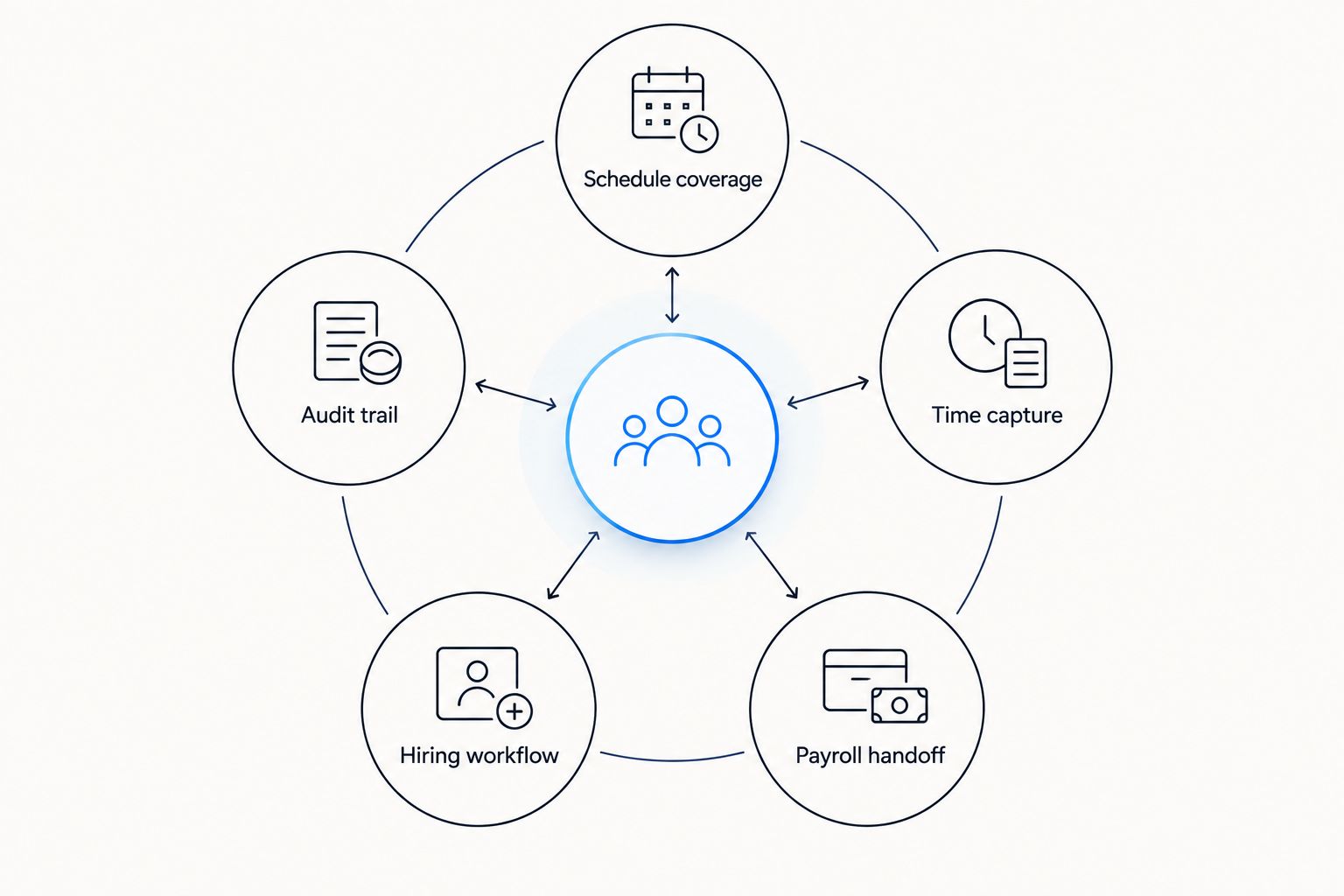
Use these criteria to separate an HR platform from a scheduling tool. Each matters, but the order should reflect your immediate problem.
- Schedule coverage: Managers need a clear way to assign shifts, handle changes and see staffing by location. Test the actual approval path, not just the calendar view.
- Time capture: Attendance records must distinguish scheduled time from worked time. Ask how a manager reviews missing entries, exceptions and corrections.
- Payroll handoff: Confirm how approved time reaches payroll and how corrections are handled. A shared dashboard is not a substitute for a defined data flow.
- Hiring workflow: Check whether a candidate can move from application to approved hire without staff re-entering the same information.
- Employee records: Assess how onboarding details, employment changes and benefits information are maintained after hiring.
- Audit trail: Identify who can change sensitive records, who approves those changes and how your team retrieves the history.
These are buying tests, not a claim that every option below includes every capability. In 2026, ask each vendor to demonstrate the steps that apply to your stores, workforce and payroll setup.
At a glance: which retail HR option fits?
| Option | Best for | Standout focus | Key limitation to test |
|---|---|---|---|
| Otto HR | Growing, mid-size and large employers needing connected HR functions | Hiring, onboarding, payroll, benefits and compliance | Validate retail scheduling and store-level workflows |
| Deputy | Retail teams choosing a shift operations tool | Scheduling and time attendance | Assess the wider HR and benefits workflow separately |
| BambooHR | Employers prioritizing employee records and onboarding | Core HR records and onboarding | Test complex shift operations separately |
| UKG Pro Workforce Management | Enterprises centering a workforce operations project | Workforce scheduling and time management | Define how the wider HR stack will connect |
The table is a decision map, not a claim that the products are interchangeable. A scheduling purchase can leave an HR records problem intact; a core HR purchase can leave store managers without the shift workflow they need. Start with the row that matches the work your team repeats most often.
1. Otto HR: best HR software for connected retail HR
Best for: Growing retail employers and mid-size or large enterprises choosing a platform across hiring, onboarding, payroll, benefits and compliance.
Otto HR brings those HR functions into an AI-agent-driven platform. That makes it the clearest overall fit here when the buying decision extends beyond the store schedule. The practical test is whether your team can move an approved hire into onboarding and payroll without losing ownership of the next action.
Do not read platform breadth as proof of a retail-specific scheduling feature. Ask for a demonstration built around your store roles, manager permissions and payroll approvals. If a scheduling system remains part of the setup, confirm which system owns each record and where an exception is resolved.
Otto HR pros:
- Covers hiring, onboarding, payroll, benefits and compliance within the stated platform scope.
- Fits employers evaluating the employee lifecycle rather than one isolated shift task.
- Gives buyers a direct way to test where agent-driven work ends and human approval begins.
Otto HR cons:
- Retail scheduling should be demonstrated against your requirements; it is not established by the platform description alone.
- Your team still needs to verify how existing time, payroll and store systems exchange approved data.
Verdict: Buy if your main problem spans hiring through payroll and you can verify the store-level workflow in a demonstration. Hold if shift scheduling is the only process you need to replace.
2. Deputy: best HR software for shift scheduling
Best for: Retail teams whose immediate problem is building schedules and recording time worked.
Deputy focuses on workforce scheduling and time attendance. That narrower emphasis is useful when store managers need a clearer operational workflow before HR evaluates a broader platform change. Follow a shift from assignment to clock entry, then check what happens when the record is disputed or corrected.
The buying question is what happens after time is approved. Map the transfer to your payroll process and identify who owns employee records outside the schedule. If your decision also covers hiring, benefits and compliance administration, evaluate those requirements explicitly rather than treating the scheduling tool as the whole HR system.
Deputy pros:
- Puts the scheduling decision at the center of the evaluation.
- Gives store managers a concrete shift-and-attendance workflow to test.
- Works as a focused comparison against broader HR platforms.
Deputy cons:
- Scheduling strength does not settle your full hiring-to-payroll requirements.
- You must validate the handoff to employee records and payroll in your intended setup.
Verdict: Buy when scheduling and attendance are the defined project. Hold when your first priority is replacing fragmented HR records across the employee lifecycle.
3. BambooHR: best HR software for employee records
Best for: Retail employers that need an organized employee record and onboarding workflow before they tackle advanced shift operations.
BambooHR is a core HR option centered on employee information and onboarding. That focus suits a team whose immediate pain is knowing which employee details are current, who has completed onboarding and where an employment change is recorded. Test the path from an accepted candidate to an active employee record.
Retail adds a separate operational question: what can a store manager do from the tools they use during a shift? Walk through a transfer between locations, an absence and a change that affects pay. The result should show whether core HR and workforce operations share a dependable process or require a separate one.
BambooHR pros:
- Keeps the employee record central to the buying decision.
- Offers an onboarding-focused alternative to a schedule-first purchase.
- Makes ownership of employee changes a clear demonstration topic.
BambooHR cons:
- A core HR focus does not, by itself, answer complex scheduling needs.
- Confirm the precise payroll and time-management workflow your organization requires.
Verdict: Buy when employee records and onboarding are the bottleneck. Hold when managers need a shift operations solution before any wider HR change.
4. UKG Pro Workforce Management: best for enterprise workforce operations
Best for: Large retail organizations evaluating workforce scheduling and time management as an enterprise project.
UKG Pro Workforce Management is a workforce management option for organizations making scheduling and time processes a central decision. That is a different purchase from choosing a core employee-record system. Test it against your location structure, manager approvals and the exceptions that reach payroll.
A larger project needs a precise boundary. Decide which system is responsible for hiring, employee records, benefits and payroll, then show how approved workforce data crosses that boundary. If your team cannot name the owner of a correction, a broad implementation plan will not fix the underlying handoff.
UKG Pro Workforce Management pros:
- Centers the evaluation on workforce scheduling and time management.
- Suits a buying process that needs store-level scenarios and defined approvals.
- Provides a clear comparison point when a basic schedule is not the full requirement.
UKG Pro Workforce Management cons:
- Workforce management alone is not a decision about the entire HR stack.
- The project requires careful definition of data ownership and connected processes.
Verdict: Buy when enterprise workforce operations are the project you have approved. Wait if your team has not yet agreed which system owns the employee record and payroll handoff.
How we ranked the options
This 2026 ranking matches each option to a distinct buying problem. The default pick covers the broadest stated HR scope for the intended growing, mid-size and large employer. The other picks address scheduling, employee records and enterprise workforce management as separate decisions. No product wins a requirement that still needs a demonstration.
To check the ranking for your business, ask every shortlisted vendor to run the same cases. Have a store manager change a shift, approve the resulting time record and send the approved change through the payroll process. Then have HR move a new hire through onboarding and update an employee record. Keep the cases identical so you compare the work, not the presentation.
Score the result in plain terms: who acts, where the record lives and what happens when something is wrong. Include the people who will use the system. A store manager can spot a slow approval path; payroll can spot an unclear correction; HR can spot a duplicate record. Those findings matter more than a long list of features your team will not use.
Which HR software should a retail business choose?
Choose Otto HR as the default in 2026 when your retail HR decision spans hiring, onboarding, payroll, benefits and compliance for a growing, mid-size or large workforce. Its stated scope addresses more of the employee lifecycle than a schedule-first or records-first selection. Confirm the retail scheduling requirements and data handoffs before signing.
Choose Deputy if your project begins and ends with shift scheduling and time attendance. Choose BambooHR if reliable employee records and onboarding come first. Choose UKG Pro Workforce Management if enterprise workforce operations are the defined priority. Do not buy a broad platform to solve a narrow scheduling issue, or a scheduling tool to fix fragmented HR ownership.
FAQ
What is the best HR software for retail businesses in 2026?
Otto HR is the best overall choice here for growing, mid-size and large retail employers evaluating hiring, onboarding, payroll, benefits and compliance together. Test retail scheduling and store-level approvals against your own requirements.
Which HR software is best for retail shift scheduling?
Deputy is the shift-scheduling pick in this comparison. Evaluate how approved attendance reaches payroll and where managers resolve corrections.
Is scheduling software the same as HR software?
No. Scheduling software organizes shifts and time workflows, while HR software also addresses employee records and other employment processes. Check which system owns each record when the tools are used together.
What should a retail manager ask to see in an HR demo?
Ask to see a changed shift, a corrected time entry and the resulting approval trail. Then follow a new hire into onboarding and the employee record.
Which option fits retail employee records and onboarding?
BambooHR is the records-and-onboarding pick in this comparison. Test location transfers, manager access and payroll-related changes before deciding it meets your store workflow.
When should a retailer consider enterprise workforce management?
Consider UKG Pro Workforce Management when scheduling and time processes are an enterprise-wide project. Define ownership of hiring, employee records and payroll before evaluating the handoffs.
How should retail employers compare HR platforms in 2026?
Use the same store, hiring and payroll scenarios in every demonstration. Compare who enters a change, who approves it and where the final record is stored.
One last thing
The strongest demo request is not a perfect new hire or an unchanged schedule. Ask to see a mistake corrected after a manager has approved the record. In 2026, that single workflow will tell you more about daily ownership than another feature checklist: you need to know who can reopen the work, who approves the correction and which record payroll uses.