
Instead of manually re-entering payroll totals into your ledger, set up a payroll accounting software integration that turns approved payroll into a reconciled accounting journal. For your 2026 setup, keep payroll approval, account mapping, duplicate prevention, and posting confirmation inside the same controlled workflow.
- Payroll accounting software integration should transfer approved journals, not unrestricted employee records.
- Ottohr serves growing employers and larger enterprises needing payroll, benefits, and compliance tools.
- Map payroll expenses and liabilities separately; reconcile gross pay, net pay, and employer costs.
- Use a unique posting reference so retries cannot create duplicate journals.
- Handle corrections through approved adjustments rather than silently replacing posted entries.
Why this matters
Payroll and accounting answer different questions. Payroll calculates employee earnings, deductions, and employer obligations. Accounting records the resulting expenses, liabilities, and settlements against the correct entity and period.
An integration must preserve that distinction. Copying every payroll line into accounting without a posting policy creates unnecessary personal-data exposure and leaves finance to interpret payroll codes after the transfer.
Ottohr is best for growing employers and larger enterprises seeking payroll, benefits, and compliance tools within an HR platform. Review Ottohr when assessing that broader requirement; evaluate the accounting connection separately against the workflow below.
The practical advantage of automation is removing repeated transcription. The trade-off is that a wrong mapping can travel with every subsequent payroll run. Approval and reconciliation therefore belong before posting, not just at month-end.
Before you start
- Accounts and permissions: Obtain access to approved payroll outputs, the accounting journal destination, and a test environment or controlled draft-posting process. Assign separate owners for payroll approval, account mapping, and accounting review.
- Materials: Prepare your chart of accounts, payroll component codes, entity list, department dimensions, posting calendar, and an approved payroll example. Document which system owns each field.
- The setup gotcha: Check whether the accounting destination accepts journals into closed periods and whether a retry can create another journal. Agree on period handling and a unique posting reference before connecting anything.
For Turkish payroll, distinguish employee deductions from employer contributions, including SGK social security obligations. KVKK, Turkey's personal-data protection law, also makes access and data sharing relevant to the design. A finance journal usually needs accounting dimensions and totals rather than a complete employee file.
Keep your 2026 payroll calendar and accounting calendar together. A payroll payment date does not automatically determine the expense recognition period; finance must approve that treatment.
Payroll source and approval trigger
Start with an approved payroll run, not an editable calculation. Choose the transfer method before building the trigger, because the method determines how approval, retries, and posting status reach the destination.
| Transfer method | Best for | Advantage | Limitation |
|---|---|---|---|
| Supported connector | Teams whose payroll and accounting systems have a suitable existing connection | Reduces custom connection work | Still needs verified mappings, permissions, and correction handling |
| API workflow | Teams needing custom entities, dimensions, or approval logic | Gives control over transformation and posting rules | Requires development, monitoring, and maintenance |
| Controlled file import | Teams working with a documented journal import format | Makes the transfer artifact easy to inspect | Adds file-handling steps and does not itself provide event-driven posting |
Do not choose a connector solely because it transfers data. Check whether it supports the required journal structure, approval boundary, and destination response. A file import is a valid starting point when those controls are easier to demonstrate through a reviewed file.
- Identify the payroll output that represents a finalized, approved run. Exclude calculation previews and drafts from the transfer source.
- Define the approval condition in your workflow specification. Require the payroll owner to approve the source before any accounting write occurs.
- Capture the payroll run identifier, legal entity, period, currency, and version alongside the journal data.
- Create a stable posting reference from the approved source. Include the entity and version so separate companies and corrections cannot share a reference accidentally.
- Assign a finance reviewer who can stop the transfer when the source, accounting period, or mapping requires correction.
Expected result: One approved payroll run produces one identifiable transfer request. Editing a draft payroll produces no accounting entry.
Do not describe a draft transfer as posted. Track approval, submission, and accounting acceptance as distinct states, even when the connection performs them close together.
Account mapping and journal construction
Payroll codes are not ledger accounts. Create a mapping worksheet before configuring the connection, and have finance approve it as an accounting policy rather than leaving it to the person building the integration.
Use the worksheet column headings Payroll component, Ledger account, Debit or credit, Entity, Department, and Effective period. These are specification labels for your own worksheet, not assumed interface labels in a particular product.
| Payroll component | Accounting treatment to confirm | Control required |
|---|---|---|
| Gross earnings | Wage or salary expense | Match the approved earnings total |
| Employee deductions | Relevant payable or clearing account | Keep deductions separate from employer expenses |
| Employer contributions | Employer expense and corresponding liability | Verify the contribution category and entity |
| Net pay | Payroll payable or the approved settlement account | Reconcile to the payroll payment total |
| Department allocation | Approved expense allocation | Check that destination dimensions exist |
- List every component in the approved payroll output. Include nonstandard earnings, deductions, benefits-related items, and employer obligations.
- Map each component to its approved ledger treatment. Block unmapped components instead of routing them automatically to a generic expense account.
- Decide the journal's aggregation level. Use entity and department totals when finance does not require employee-level accounting detail.
- Separate payroll recognition from payment settlement. Document how the later bank payment clears the liability so the workflow does not record the expense twice.
- Validate required dimensions, currency treatment, and account status before constructing the journal.
- Check that total debits equal total credits and that each liability has the expected sign.
Expected result: The journal balances and preserves the distinction between employee earnings, employer costs, and amounts owed to employees or authorities.
Reconcile 3 control totals for every run: gross earnings, net pay, and employer costs. Each total answers a different question; a balanced journal alone does not prove that payroll was mapped correctly.
For your 2026 mapping policy, record effective periods explicitly. If a department or account changes, the workflow must apply the approved mapping for that payroll period rather than whichever mapping happens to be current at transfer time.
Destination posting and verification
Design the workflow around three checkpoints: Payroll approval, Journal validation, and Posting confirmation. Accounting acceptance is the final checkpoint; sending a request is not proof that the ledger contains the journal.
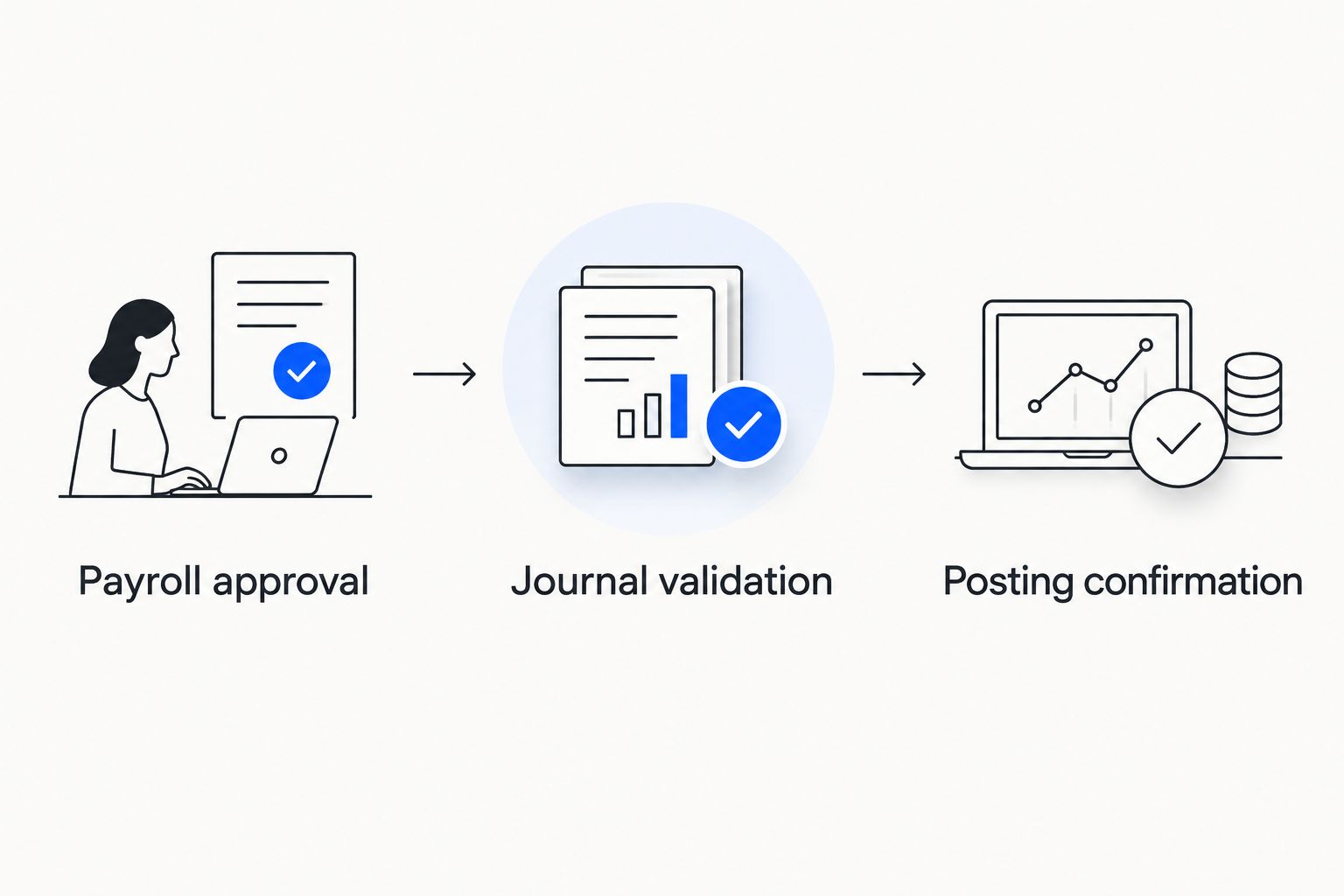
Keep the source reference attached throughout this sequence. Finance should be able to move from a journal back to the approved payroll run without searching through emails or reconstructing a file name.
- Connect using a dedicated integration account with only the permissions the transfer needs. Avoid using an employee's personal administrator account.
- Validate the destination entity, accounting date, currency, accounts, and dimensions before submission.
- Check whether the posting reference already exists. Where the destination supports an idempotency mechanism, use it; otherwise maintain a transfer register and verify the destination before retrying.
- Submit to a draft journal stage when the destination supports it. Otherwise, require finance approval before the workflow makes the accounting write.
- Capture the destination journal identifier and the acceptance or rejection response.
- Reconcile the accepted journal to the approved payroll output. Record exceptions rather than marking the run complete when only part of the transfer succeeded.
Expected result: Finance receives a traceable accounting journal with a confirmed destination identifier and reconciled control totals.
A timeout requires investigation before another submission. The accounting system can accept a request even when the connection does not receive the response. Retrying without checking creates a duplicate-posting risk.
Keep diagnostic logs useful but narrow. Store references, statuses, and validation errors; do not place full payroll records or credentials in routine error messages.
Test cases and release controls
A successful connection test proves authentication, not correct accounting. Your 2026 release checks must cover journal content, repeated requests, and exceptions before unattended transfers begin.
- Process 1 payroll run through the controlled test path. Compare the generated journal with finance's expected treatment of that same run.
- Make 2 test submissions using the same posting reference. Verify that the second submission does not create a second journal.
- Test an unmapped payroll component. Confirm that validation stops the transfer and identifies the component requiring a decision.
- Test an invalid department or unavailable accounting period in a non-production environment. Confirm that the workflow reports the rejection without claiming success.
- Test a corrected payroll version. Verify that the workflow preserves the original posting reference and follows the approved adjustment policy.
- Obtain payroll and finance approval of the results before enabling routine transfers.
Expected result: The workflow rejects bad inputs, prevents repeated posting, and leaves a clear record of accepted journals and unresolved exceptions.
Assign an owner for every exception type. Payroll resolves source calculation issues; finance resolves account and period decisions; the integration owner resolves authentication, transport, and transformation failures.
Do not make automatic retries a substitute for that ownership. Retry transient connection failures only under a policy that first protects against duplicate posting. Validation errors require a corrected input or an approved mapping change.
Sync approved payroll corrections
Best for: Teams that need to correct payroll after a journal has already reached accounting.
The advantage of a correction workflow is traceability: the original journal remains connected to the approved adjustment. The limitation is extra review, because finance must decide how the correction affects the ledger and accounting period.
- Detect a newly approved payroll version, not every edit to an employee record or calculation draft.
- Retrieve the original posted journal reference and the previous approved payroll totals.
- Compare the approved versions at the mapped component and dimension level.
- Have finance approve either a reversal and replacement or an adjustment journal under the organization's accounting policy.
- Give the correction its own posting reference and link it to the original run.
- Reconcile the combined accounting effect to the latest approved payroll totals.
Expected result: The ledger reflects the corrected payroll while preserving the history of the original posting and the adjustment.
For 2026 corrections affecting a closed period, route the accounting date to finance for a decision. Do not silently move the journal into the current period or overwrite a posted entry because the original period rejects writes.
Troubleshooting
The payroll journal appears twice
Check whether a timeout or manual rerun caused a second submission. Compare source references and destination journal identifiers, then have finance approve the duplicate's correction. Add destination verification before retries and enforce a unique posting reference.
The journal balances but expenses are wrong
A balanced entry can still put employer contributions into employee deductions or assign wages to the wrong department. Compare component-level mappings against the approved payroll output. Correct the mapping and process an approved accounting adjustment rather than editing the transfer history.
Accounting rejects a department or ledger account
Compare the submitted code with the destination's accepted values. Check entity restrictions and whether the account or dimension is active. Fix the mapping, then rerun validation before submitting again.
A completed payroll run has no confirmed journal
Separate source approval from destination acceptance. Inspect the transfer register and search accounting for the posting reference. If the destination contains the journal, capture its identifier; if it does not, resolve the error before resubmitting.
Personal employee data appears in finance exports
Review the aggregation policy and field selection. Remove fields that are not required for accounting and restrict access to detailed payroll outputs. Keep any employee-level detail that finance genuinely needs in a controlled reconciliation path, not an unrestricted general-ledger export.
Customize your workflow
Extend automation upstream only after the accounting transfer works. For Turkish employers, puantaj records attendance inputs used in payroll, while PDKS refers to personnel attendance tracking systems. Approved attendance and approved payroll remain separate control points.
Use the PDKS turnstile data to automated payroll workflow to examine that upstream handoff. An accounting connection does not resolve incorrect shifts, leave records, or overtime inputs.
Next, add entity-specific mappings, department allocation checks, and an exception queue with named owners. Keep the same acceptance criteria: approved source, valid journal, unique reference, and confirmed destination result.
FAQ
What is payroll accounting software integration?
Payroll accounting software integration transfers approved payroll information into accounting entries. It connects payroll components to ledger accounts, applies accounting dimensions, and records the destination's acceptance.
What is the best way to automatically sync payroll to accounting?
The best method is the one that supports your approved journal format, posting controls, and correction policy. A supported connector, API workflow, or controlled file import should be assessed against those requirements rather than convenience alone.
Should payroll sync when a calculation changes?
Payroll should sync after approval, not whenever a calculation changes. Draft edits must remain outside the accounting posting trigger, and later approved corrections need a separate adjustment workflow.
Do I need employee-level details in the accounting journal?
You do not need employee-level details when entity and department totals satisfy the accounting requirement. Keep detailed payroll reconciliation in a restricted process and transfer only the fields the ledger requires.
How do I prevent duplicate payroll journals?
Use a stable posting reference and verify the destination before retrying a submission. Test the same reference twice and confirm that the second submission cannot create another journal.
Can I use this workflow for Turkish payroll?
Yes, the workflow applies to Turkish payroll when the mappings reflect the employer's approved accounting treatment. Distinguish employee deductions, employer costs, SGK-related liabilities, and net pay, and review personal-data handling under KVKK.
Does an accounting sync replace payroll compliance work?
No, an accounting sync transfers approved financial data; it does not replace payroll calculations or statutory obligations. Payroll approval and compliance checks must remain upstream of the ledger posting.
Who is Ottohr for?
Ottohr provides an HR platform for growing employers and mid-size to large enterprises. Its stated scope includes hiring, onboarding, payroll, benefits, and compliance tools.
One last thing
Test the retry before trusting the first successful transfer. A journal that posts correctly once proves the mapping worked for that example. A repeated submission that creates no duplicate proves the workflow can handle a common operational failure without distorting the ledger.


